GARWIS DI
Start from answers,
not from a blank sheet.
GARWIS DI is a decision intelligence platform for finance teams: group close, planning, cash flow and management reporting as one curated catalog. It connects to the systems you already run and comes with the reports and checks experienced teams expect.
- Private preview
- Multi-entity · multi-currency
- Five interface languages
What it does
One catalog, from close to decision.
Every report shares the same chart of accounts mapping, the same periods and the same currency rules, so the numbers agree with each other. That is the whole point.
Close & consolidation
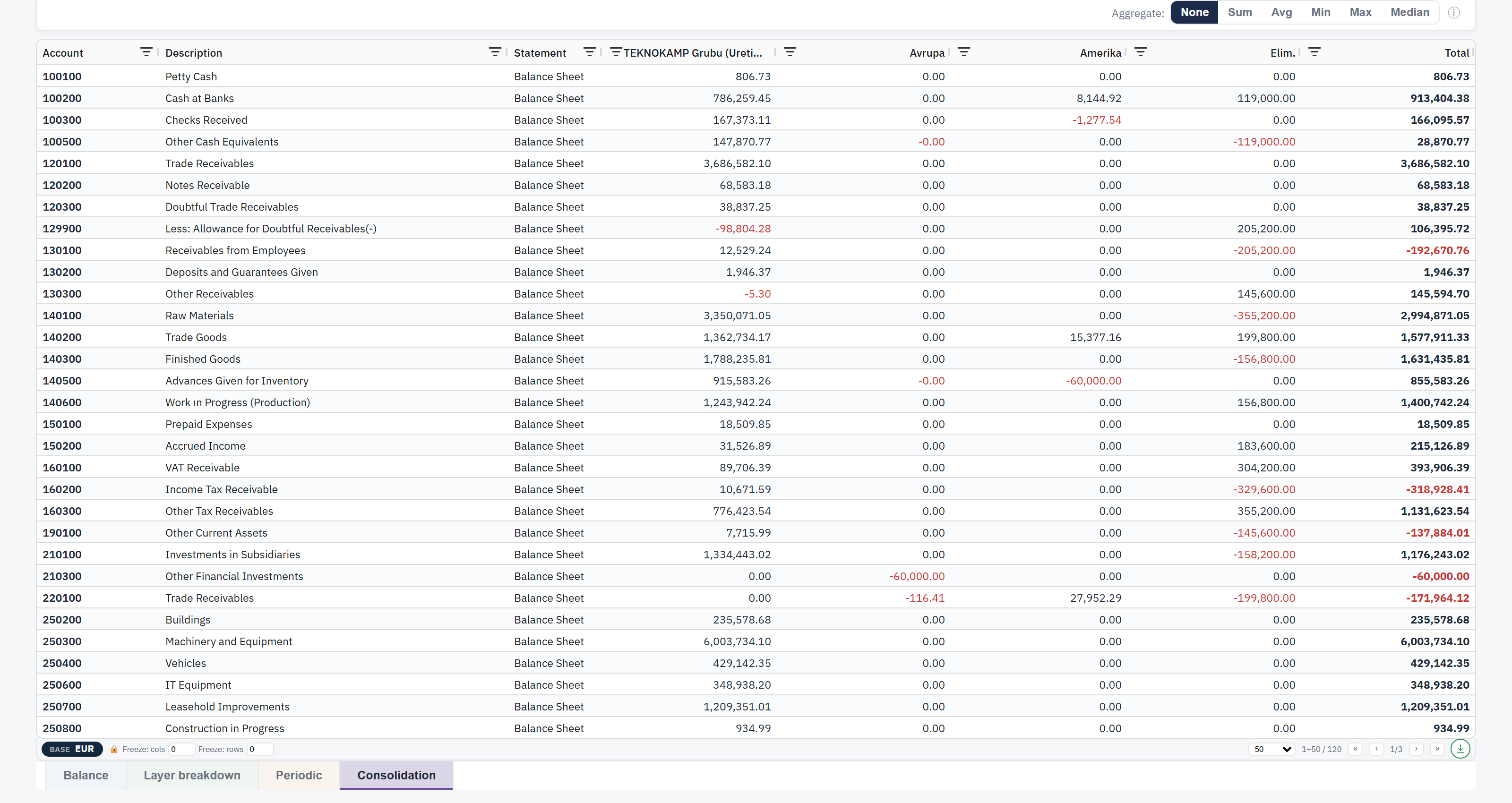
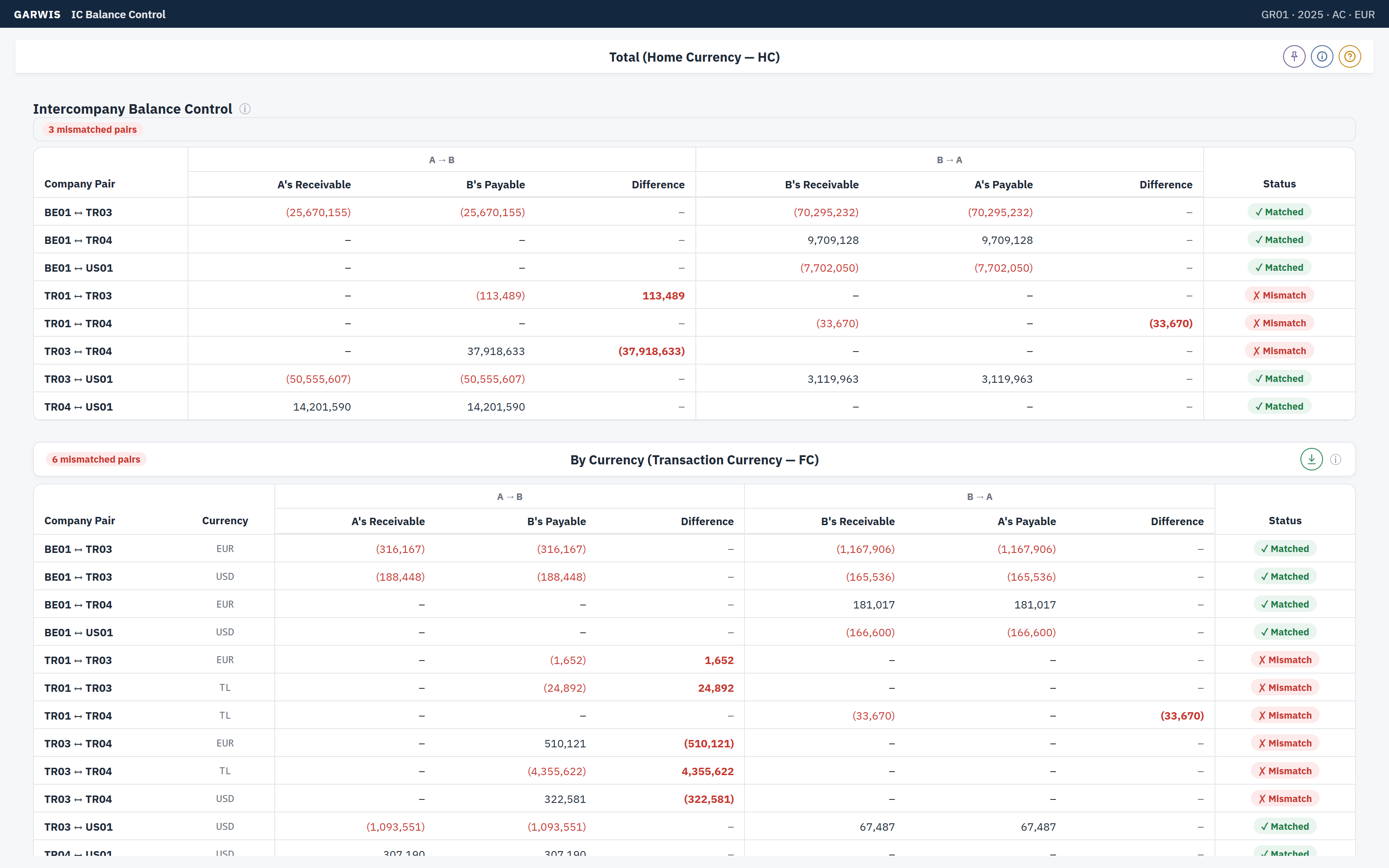
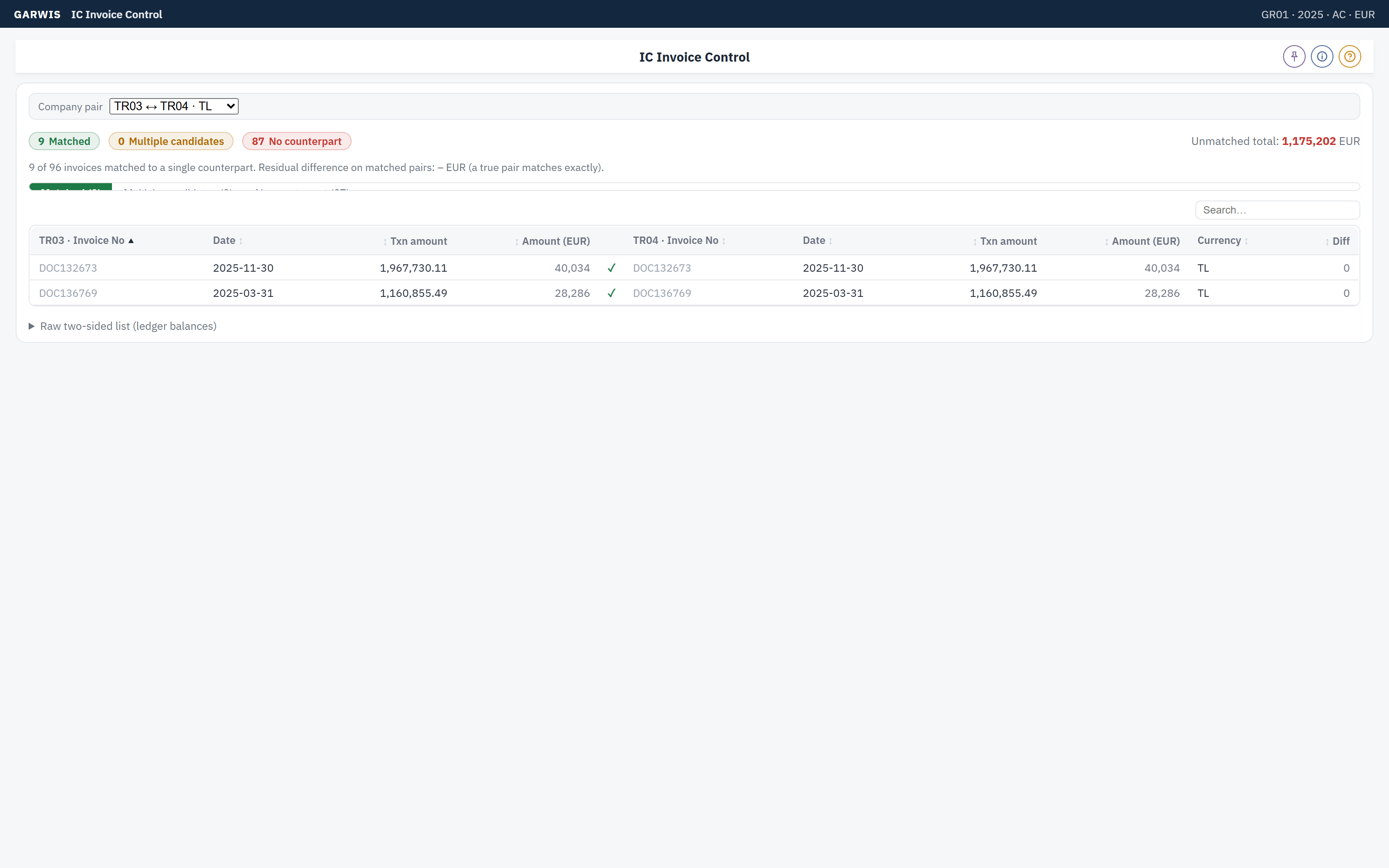
Trial balance, statutory and group statements, intercompany matching, eliminations and currency translation with a closing-rate option.
Planning & forecasting
Budget, rolling forecast and business plan versions on the same model as actuals, with copy-from-actual and variance views.
Cash flow
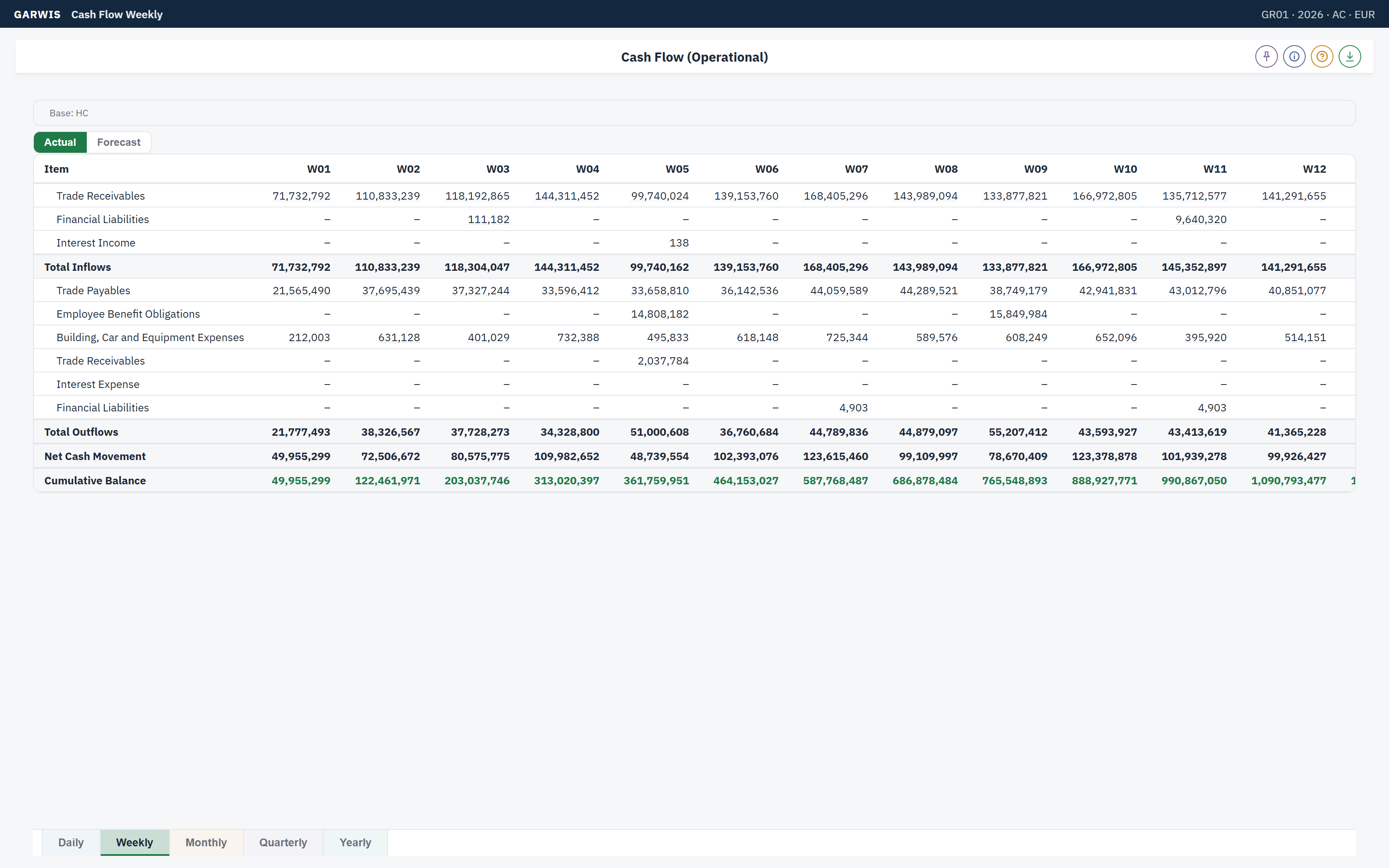
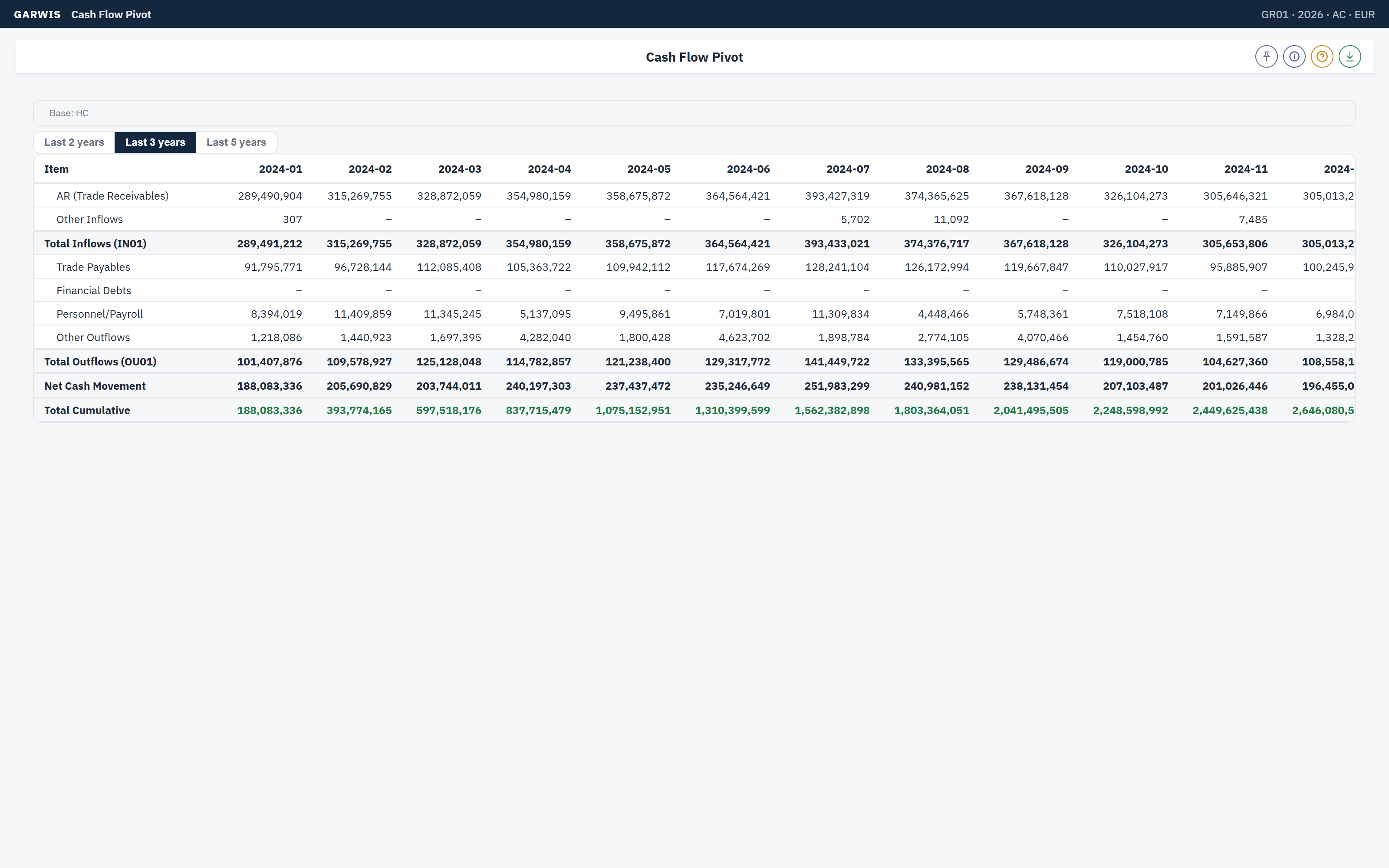
Direct cash flow from invoices, open orders and manual forecasts, in transaction, local and reporting currency.
Internal control
Data validation rules, journal entry testing, posting activity and flux analysis, so surprises are found before the auditor does.
Customer, vendor & part 360
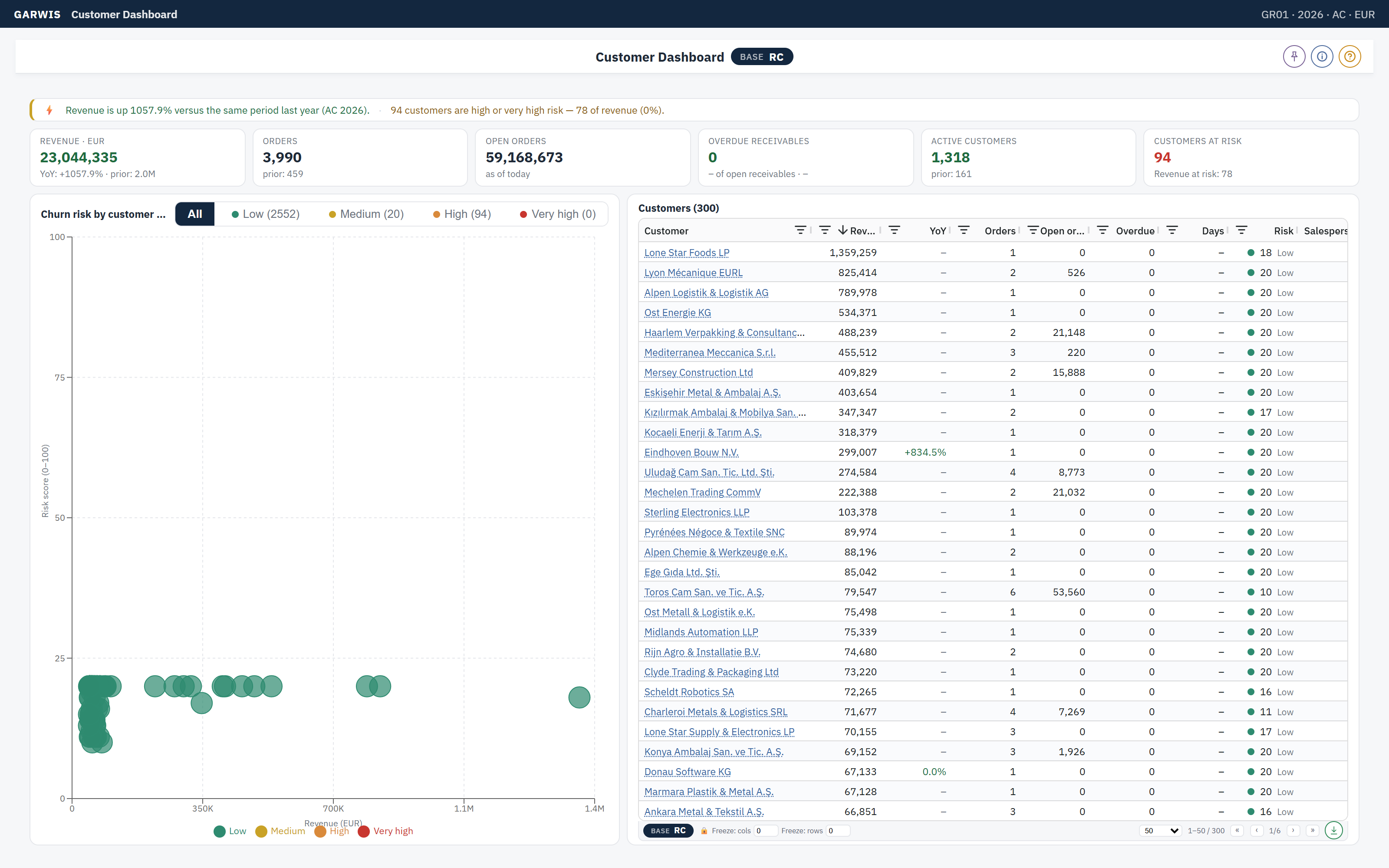
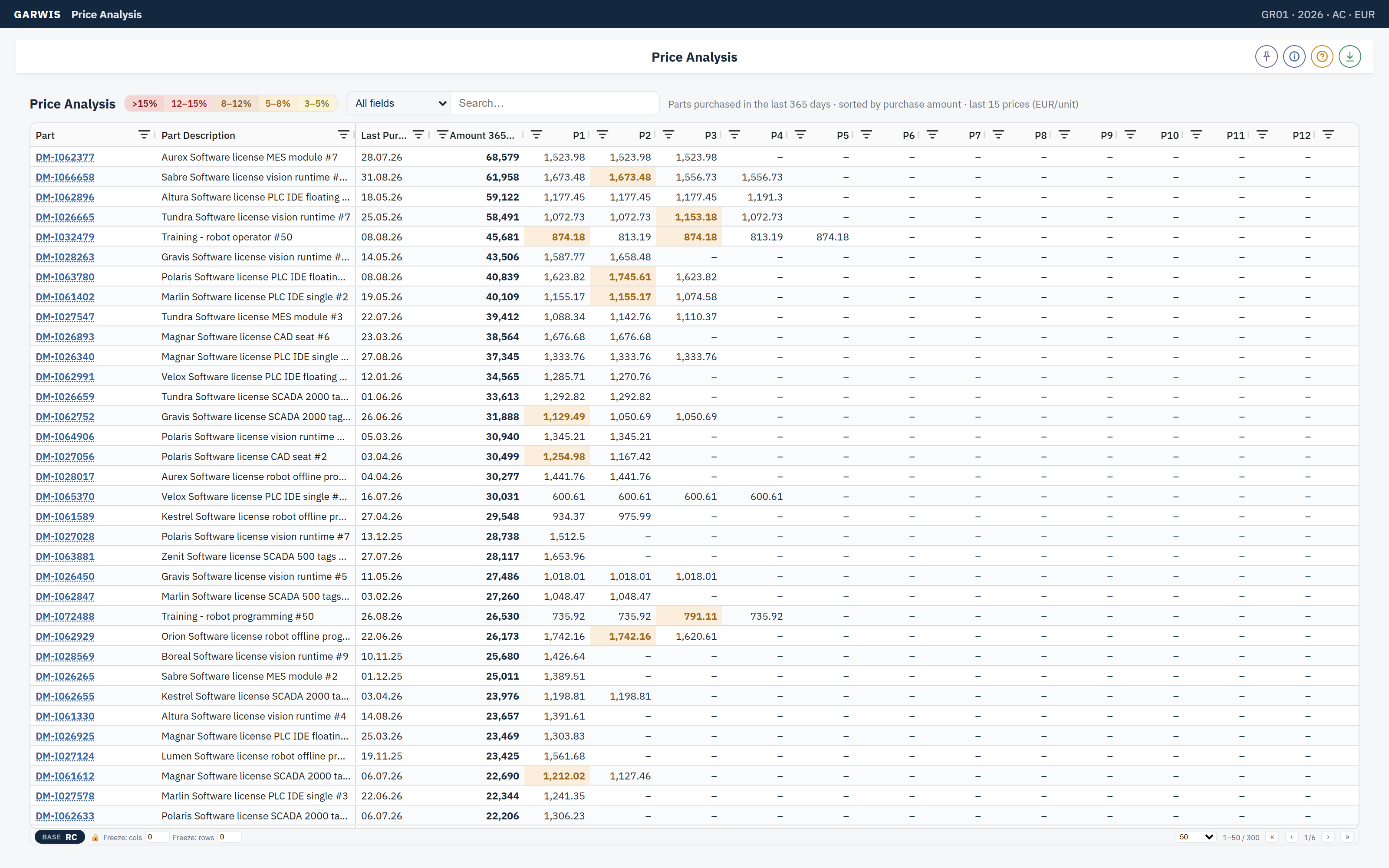
One page per customer, vendor or part: revenue, open items, orders and risk signals side by side.
AI that explains
An analysis planner that proposes which reports to run and why. It never invents numbers; every figure comes from the same catalog you see on screen.
Screens
What it looks like.
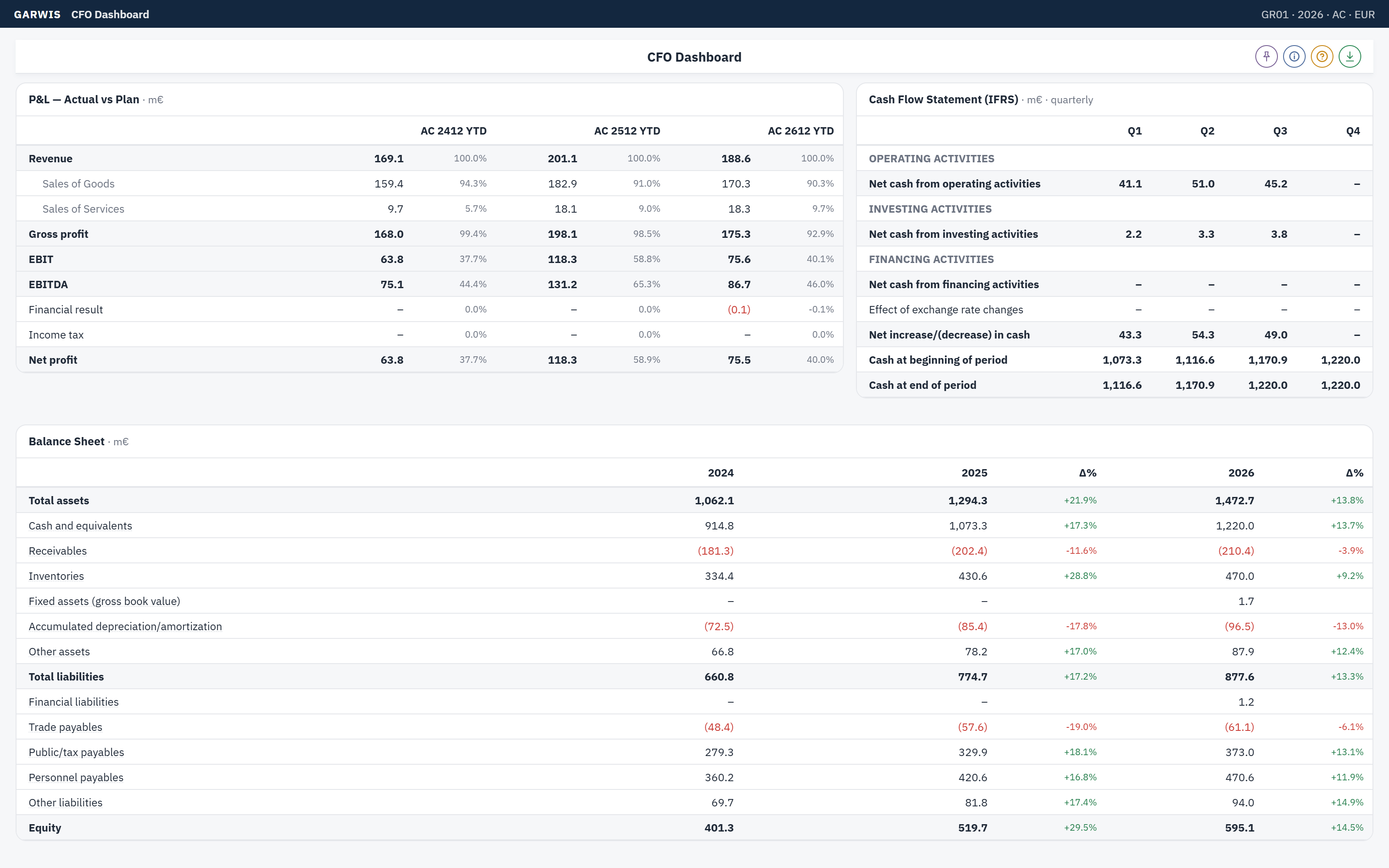
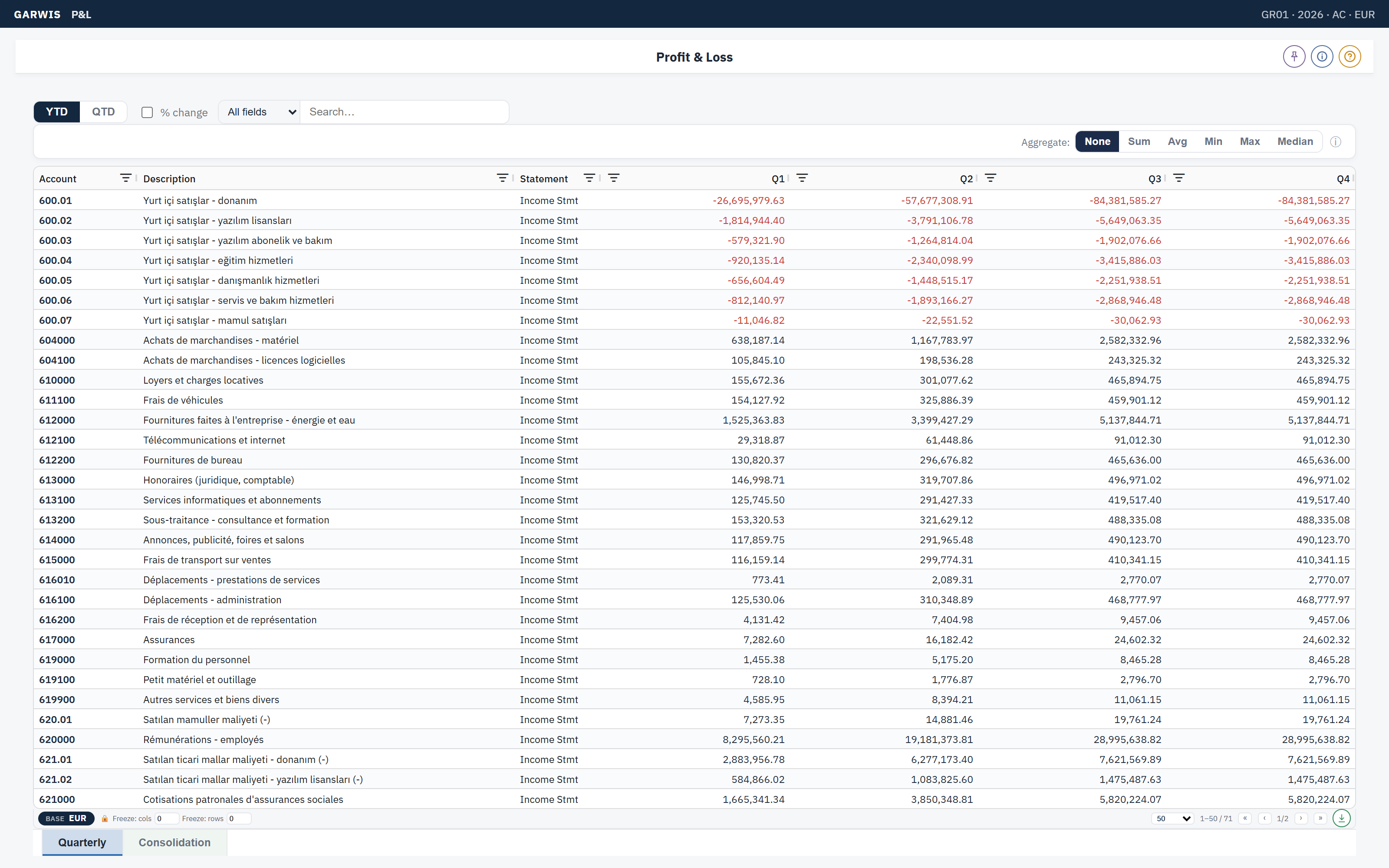
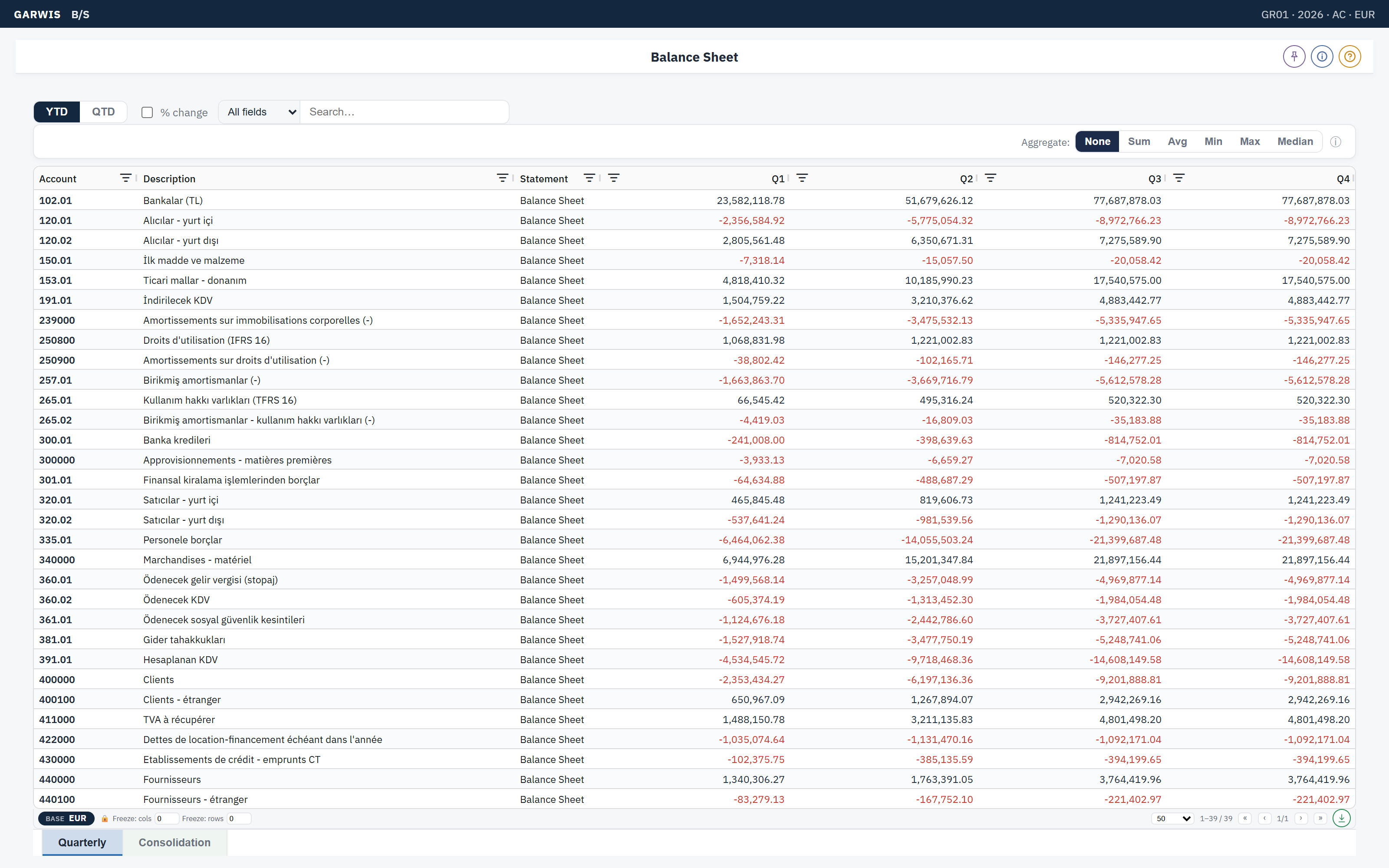
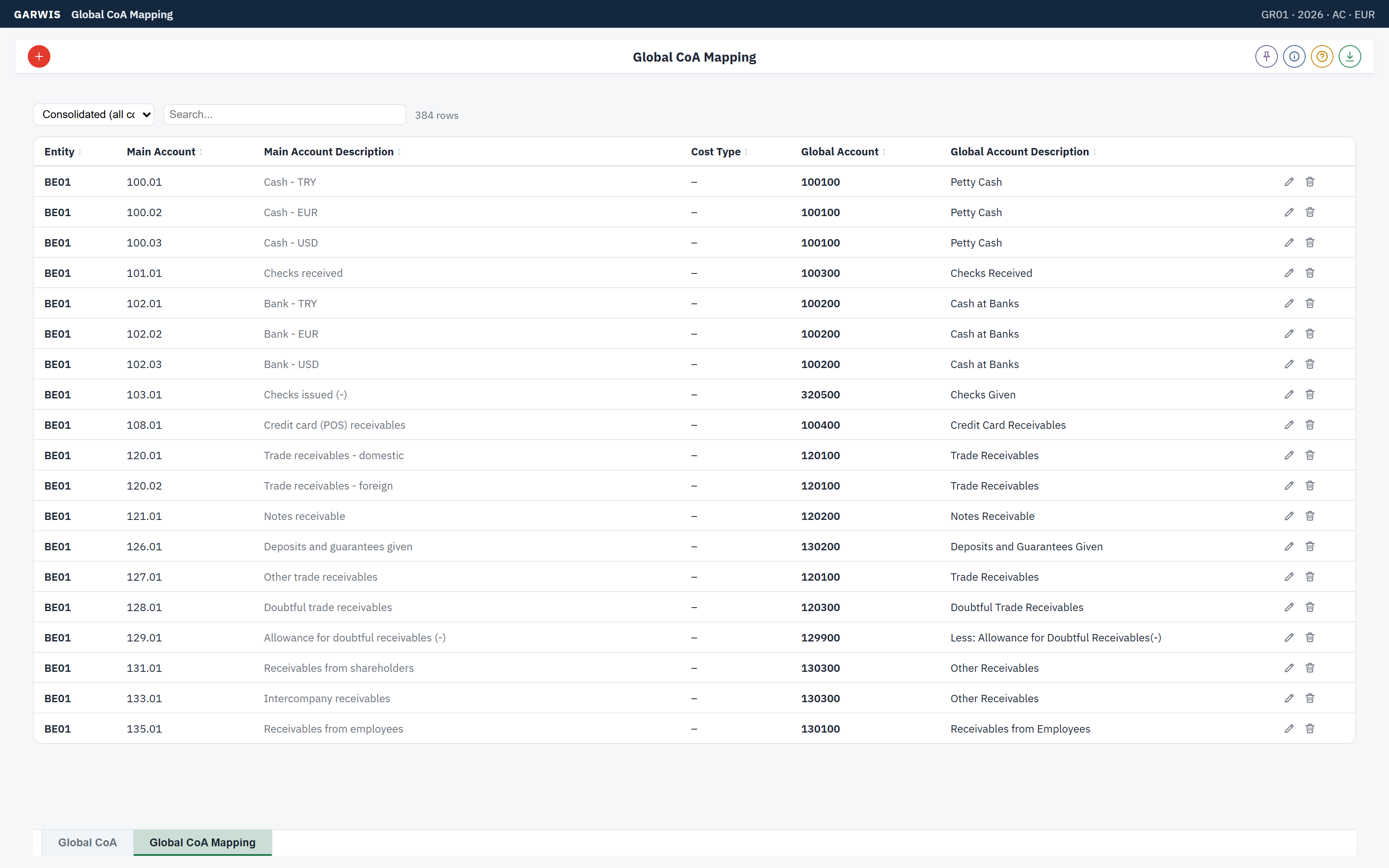
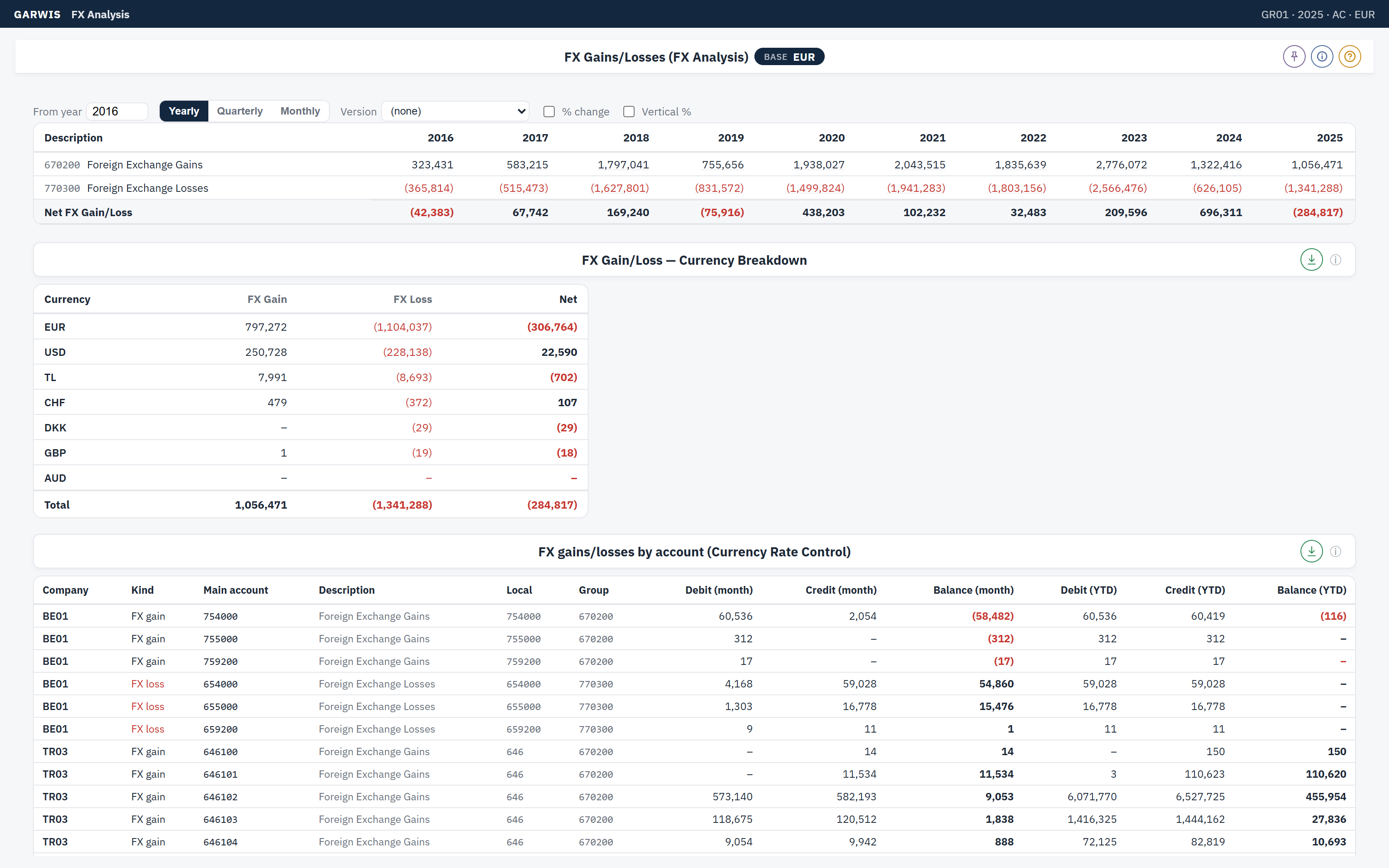
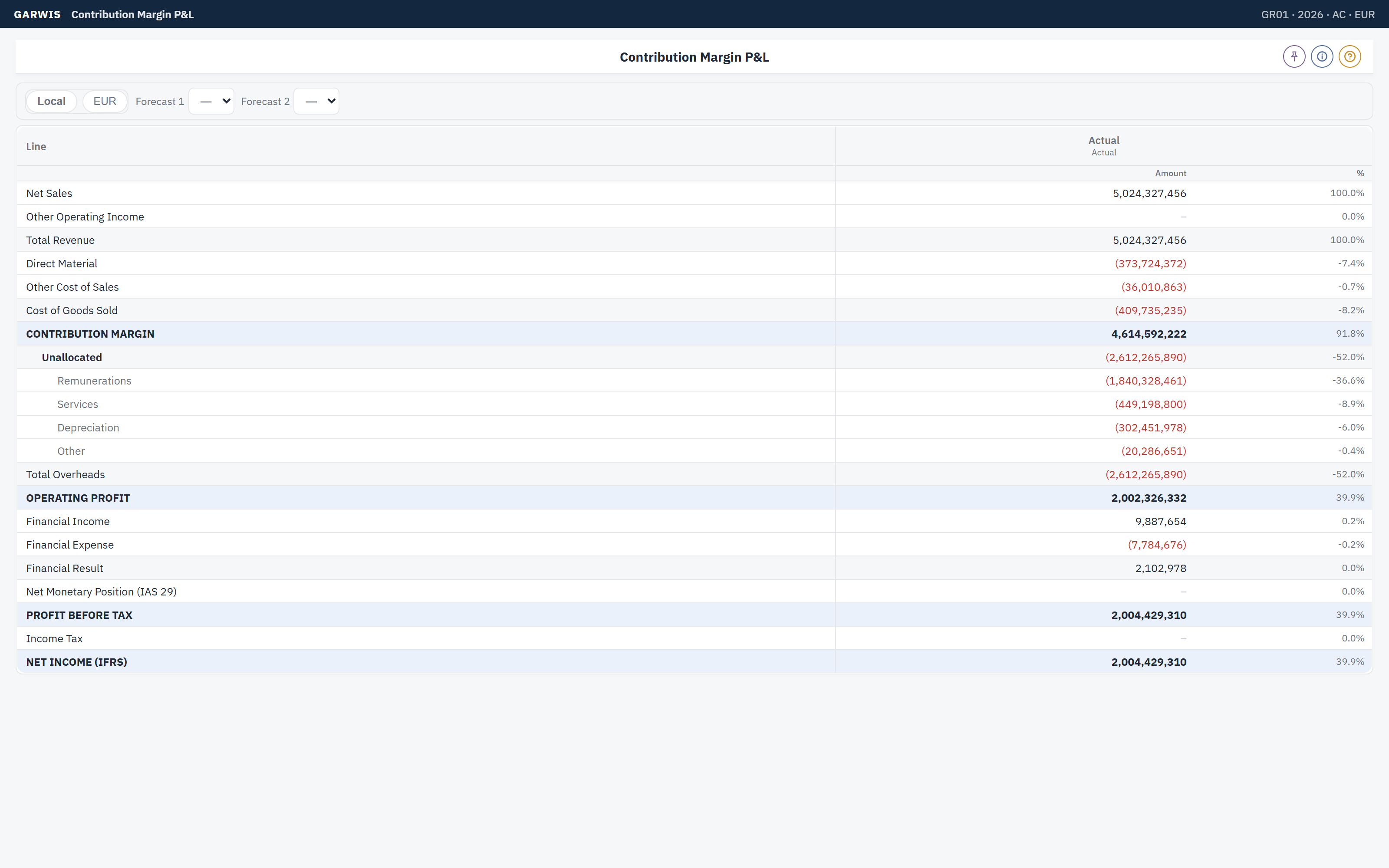
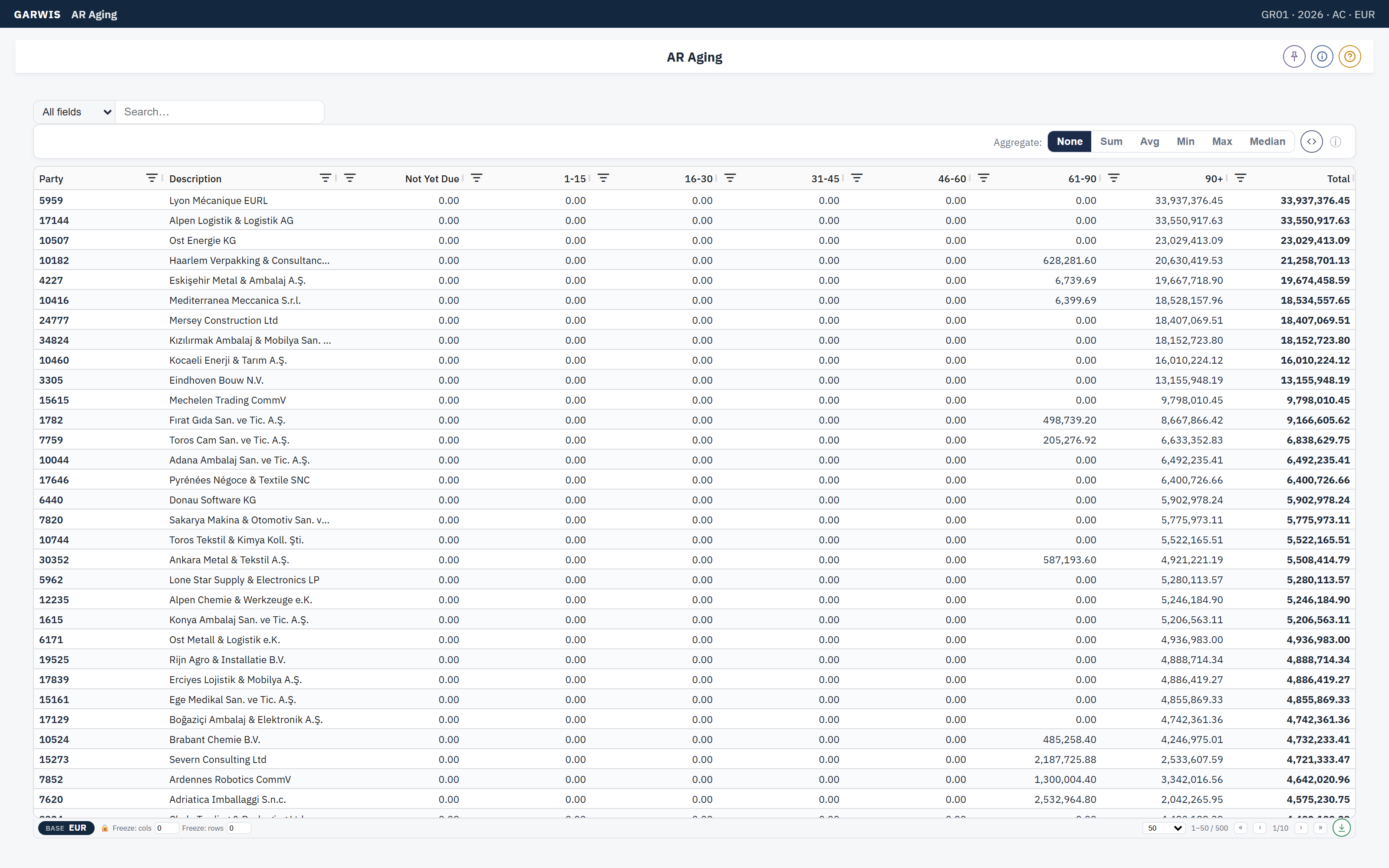
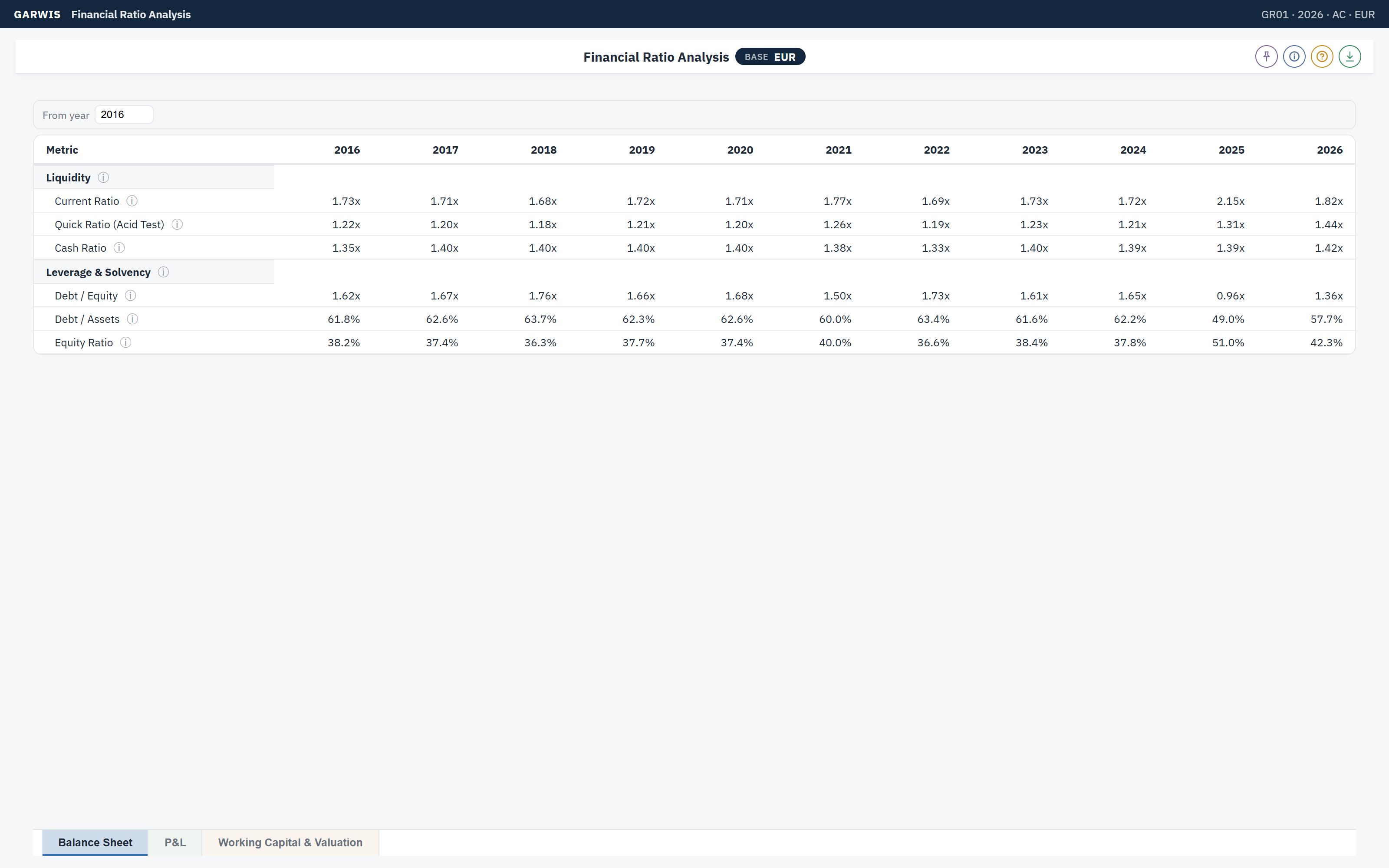
Demo data, demo group. Reports open with a point of view: company, year, period, scenario and currency. Every amount lives in three currencies at once, transaction, local and the group's reporting currency, and every number drills down to the entries behind it.
How it works
Three steps, no build project.
1 · Connect
Your ledger, invoices and orders are loaded on a schedule from your existing ERP. Nothing is re-keyed; your ERP stays the system of record.
2 · Map once
Local accounts are mapped to a group chart and to IFRS statements once. From then on every report, every entity and every period uses the same mapping.
3 · Switch on reports
Pick from the catalog. Reports, checks and dashboards are ready on day one; your team adds commentary, approvals and its own KPIs.
Who it is for
Groups of two to fifty entities.
- Group finance teams
- Who close several companies in several currencies and are tired of reconciling spreadsheets.
- Owners and boards
- Who want the same numbers in every meeting and a clear view of cash.
- Advisors and partners
- Who serve several clients and need one standard way of working across all of them.
- Universities
- Who teach consolidation and reporting on a real multi-entity model instead of toy examples.
Status: private preview. GARWIS DI is shown to invited groups on demo data while the catalog and the connectors are being completed.
Products
Two products, one platform.
Decision Intelligence. Consolidation, planning and reporting as one multi-tenant business operating system, built on the experience of our earlier EPM software.
Private previewEnterprise Resource Planning. Multi-company ERP built on one rule: everything you buy or sell is defined in one place.
Alpha testing